Screenshots
App details
- Version
- 1.5.0
- Size
- 17.88 KB
- Updated
- September 21, 2009
- Requires
- Windows Vista
- Language
- English
- License
- Free
- Developer
- Visit Website
- Category
- Windows OS
SoftPas in:
This product is also available in the following languages:
About WordReference Translator
Download WordReference Translator – Fast Firefox Translation Tool
Overview
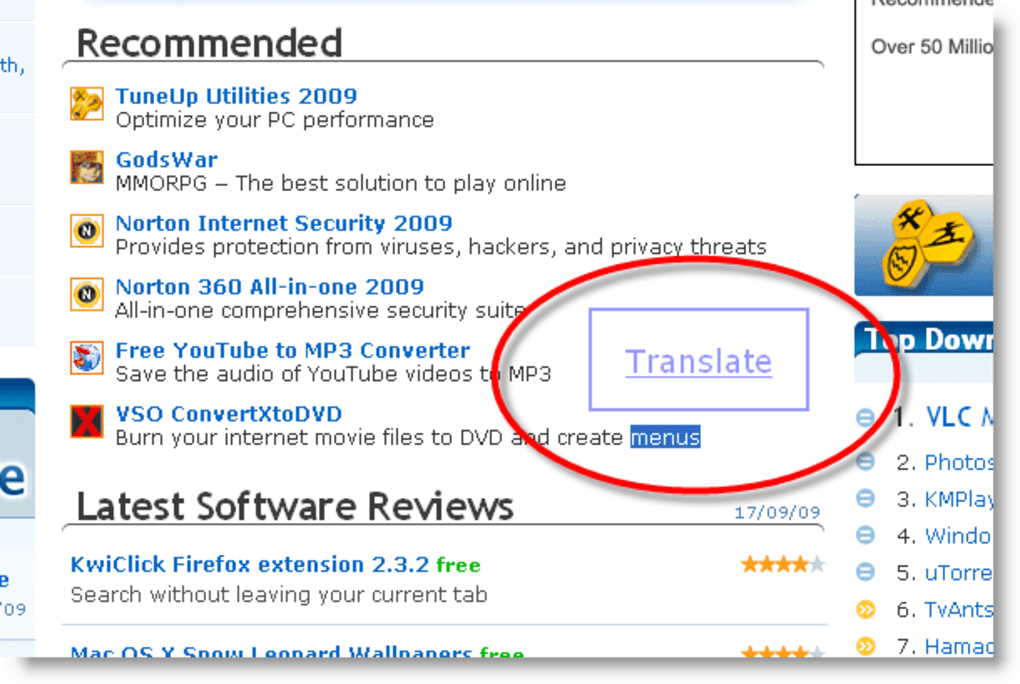
WordReference Translator is a lightweight Firefox add‑on that brings the power of the popular WordReference online dictionaries directly to your browsing experience. Designed for multilingual professionals, students, and language enthusiasts, the plug‑in lets you highlight any word on a webpage and instantly retrieve translations without leaving the page. As a native Spanish speaker working for an English‑language site, I often juggle between English and Spanish content, and the seamless integration of WordReference Translator has become a daily productivity booster. The extension supports every language pair offered by the original WordReference site, meaning you can translate from English to French, Spanish to Italian, German to Portuguese, and many more. The underlying dictionary is backed by an active community of native speakers and language experts, ensuring that the definitions, usage examples, and forum discussions stay up‑to‑date and reliable. While the pop‑up window that appears after double‑clicking a word is semi‑transparent and sometimes hard to read, the tool also offers a context‑menu option that opens the full translation in a new tab, preserving readability. Overall, WordReference Translator is a secure, free, and regularly updated add‑on that simplifies the lookup process, reduces the need for multiple browser tabs, and keeps you focused on the content you’re reading.
Key Features & Installation Guide
- Instant word lookup with a double‑click or right‑click context menu.
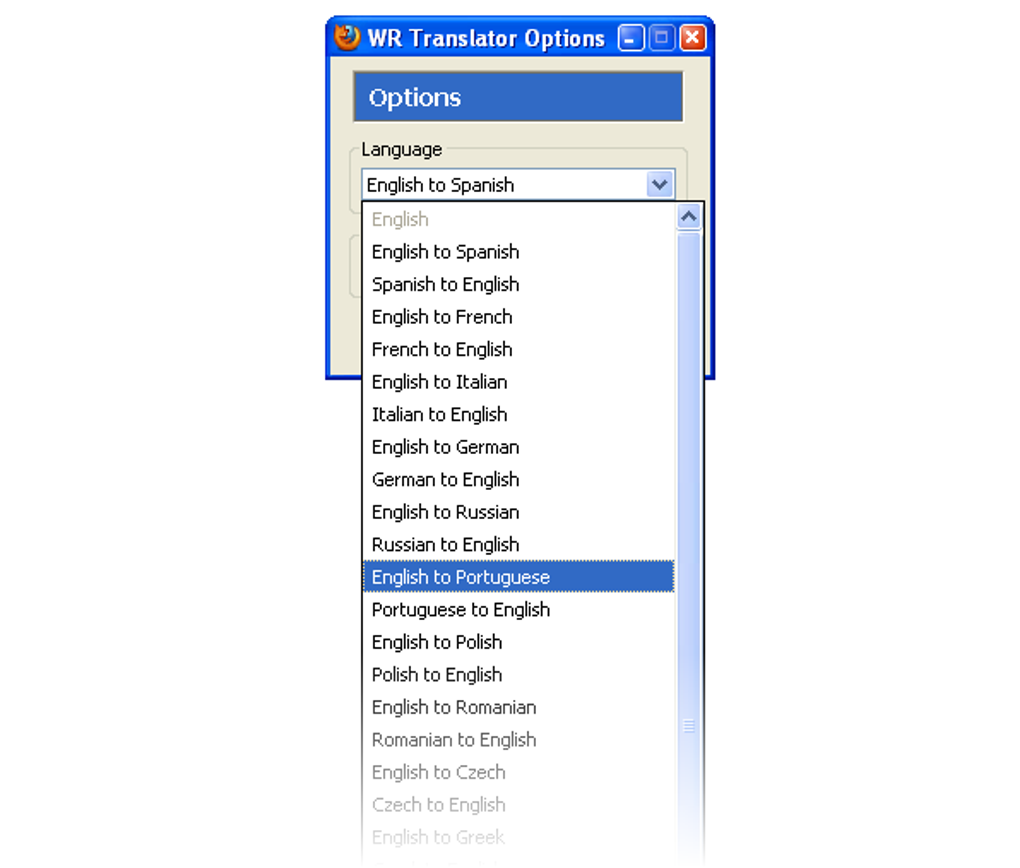
- Supports all language combinations available on WordReference.com.
- Direct links to detailed dictionary entries, conjugation tables, and forum discussions.
- Lightweight footprint – under 500 KB, ensuring fast Firefox startup.
- Free to use with regular security updates from the developer.
- Community‑driven definitions and usage examples for nuanced translations.
- Option to open full translation in a new tab for better visibility.
Installation & Usage Instructions
Installing WordReference Translator is straightforward. Open Firefox, navigate to the official add‑on page, and click the “Add to Firefox” button. Firefox will prompt you to confirm the permissions required – these are limited to reading the content of the active tab so the extension can detect highlighted words. After confirming, the add‑on appears as a small icon in the toolbar.
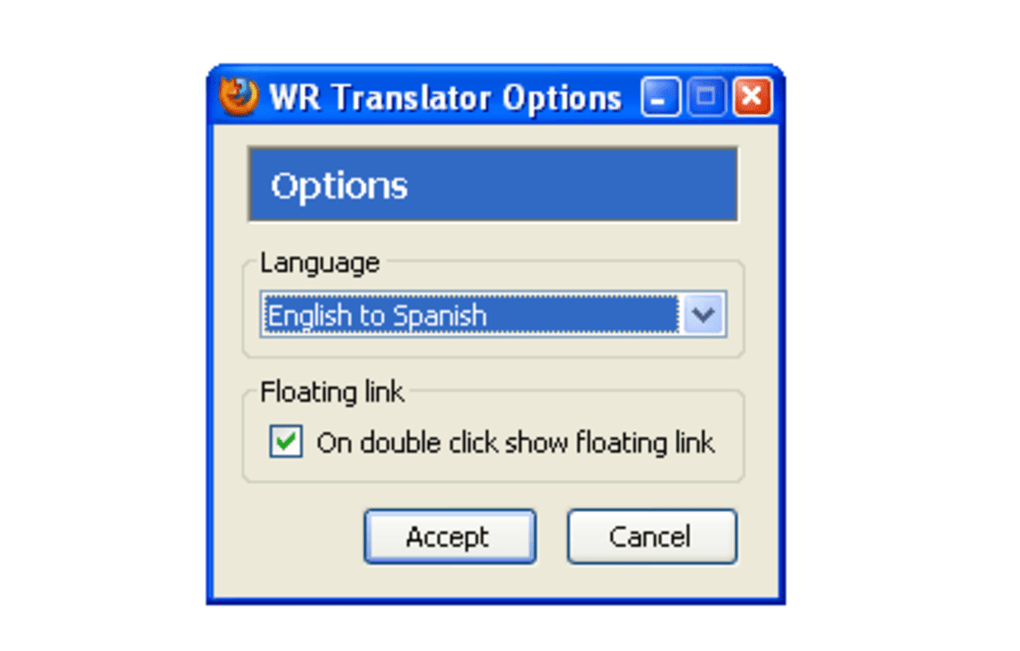
To use the translator, simply highlight a word by double‑clicking it; a compact white pop‑up appears with a link labeled “Translate with WordReference.” Clicking the link opens the full entry in a new browser tab, preserving the original page. Alternatively, right‑click the highlighted word and choose “Translate with WordReference” from the context menu. This method also opens the translation in a new tab, which is helpful when the pop‑up’s semi‑transparent background makes reading difficult. The add‑on remembers your last language pair selection, so you can quickly switch between English‑Spanish, French‑German, or any other supported combination via the WordReference website’s own language selector.
Compatibility, Pros & Cons
WordReference Translator is built exclusively for the Mozilla Firefox browser on desktop operating systems, including Windows 10/11, macOS Monterey and later, and Linux distributions that support the latest Firefox release. Mobile versions of Firefox (Android and iOS) do not currently support this add‑on, as the extension framework differs from the desktop environment.
Pros
- Speed: Immediate access to translations without opening a separate website.
- Coverage: Full range of language pairs offered by WordReference.
- Community‑backed: Access to forum discussions for nuanced meanings.
- Lightweight: Minimal impact on browser performance.
- Free & Secure: No hidden fees, regular updates, and sandboxed permissions.
Cons
- The pop‑up window is semi‑transparent, which can reduce readability on bright backgrounds.
- Translations always open in a new tab, which may interrupt workflow for users who prefer in‑place pop‑ups.
- No native support for Firefox on mobile platforms.
- Limited customization options for pop‑up appearance.
- Relies on an internet connection; offline usage is not available.
FAQ & Conclusion
Is WordReference Translator completely free?
Yes, the add‑on is free to download and use. There are no hidden subscription fees or premium tiers.
Can I translate entire sentences or only single words?
The extension is optimized for single‑word lookups. For full‑sentence translation, you’ll need to visit the WordReference website directly.
Does the add‑on store any of my browsing data?
No. WordReference Translator only reads the selected text on the active tab to request a translation. It does not store or transmit any personal browsing history.
Will the extension work on older versions of Firefox?
The add‑on requires Firefox 78 or newer. Older versions may lack the necessary WebExtension APIs.
How often is WordReference Translator updated?
The developer releases updates roughly every 2–3 months, addressing security patches, compatibility with new Firefox releases, and occasional UI tweaks.
In summary, WordReference Translator is a highly practical companion for anyone who relies on the WordReference dictionaries while browsing. Its instant lookup feature, broad language support, and community‑driven content make it stand out among translation extensions. Although the pop‑up’s transparency and the lack of mobile support are minor drawbacks, the overall benefit of reducing context‑switching outweighs these issues. If you frequently translate words while reading articles, research papers, or foreign‑language websites, installing WordReference Translator will streamline your workflow and keep you focused on the content that matters.
Ready to boost your multilingual browsing? Download WordReference Translator now and experience instant, reliable translations directly within Firefox.
Guides & Tutorials
How to install WordReference Translator
- Click the Download button above.
- Once redirected, accept the terms and click Install.
- Wait for the WordReference Translator download to finish on your device.
How to use WordReference Translator
This software is primarily used for its core features described above. Open the app after installation to explore its capabilities.
User Reviews
No reviews yet. Be the first to share your experience.
You may also like
more
Llama 2
Free-to-use large language model As the new addition to Meta’s arsenal of langua...

NotebookLM
Revolutionizing the note-taking and idea-generation process NotebookLM is an exp...

Github co pilot
AI-inspired software development and coding platform GitHub Copilot is a browser...

Google Gemma
Google’s lightweight AI models Introducing Google Gemma , a family of cutting-ed...

AI Image Enlarger
A free app for Windows, by ai-image-larger. AI Image Enlarger is a free software...

DALL E
AI-driven text-to-image transformation engine DALL·E is a free graphic and desig...